Fixing Unknown SMART Status for External SSD/HDD on Proxmox
/ 2 min read
Table of Contents
Overview
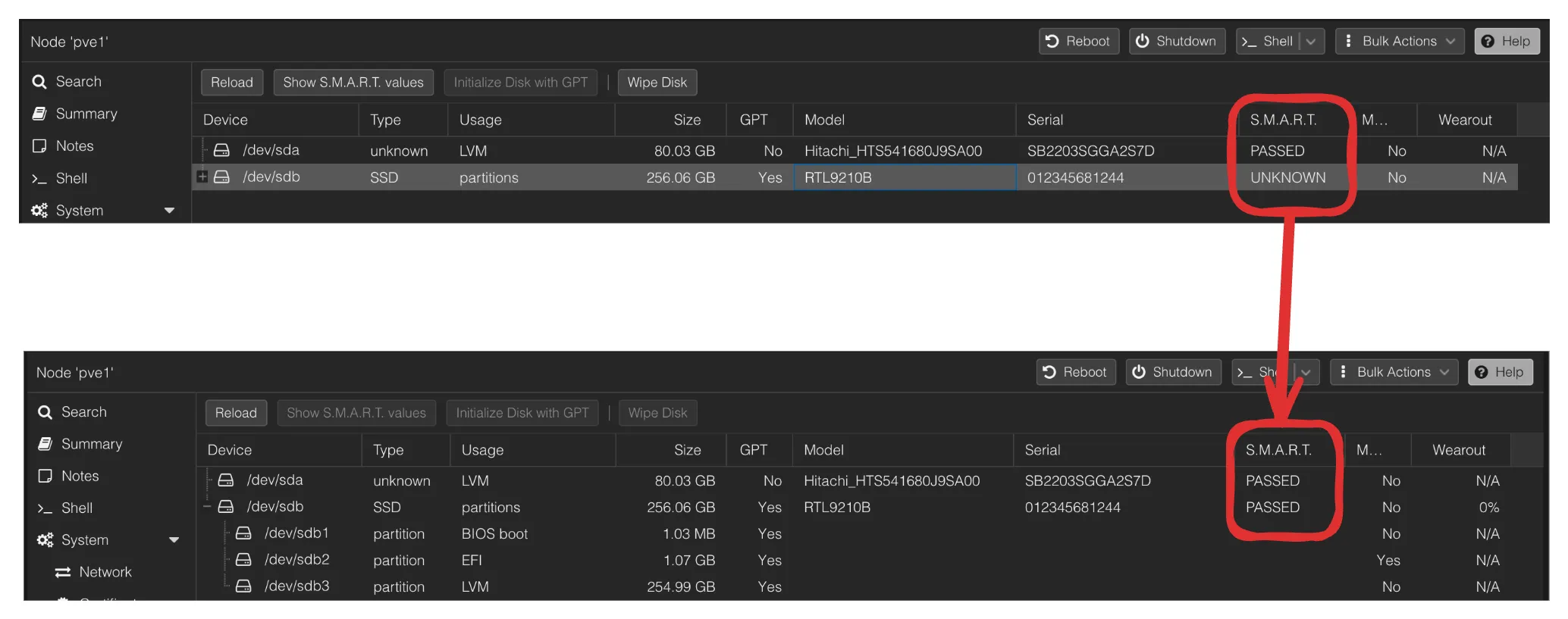
In my homelab cluster running Proxmox VE, attaching external SSDs and HDDs via USB enclosures frequently surfaces an annoying telemetry issue: the Proxmox Disks web UI reports disk SMART status as UNKNOWN instead of PASSED.
As discussed in my notes on external drive SMART monitoring, USB-to-NVMe/SATA bridge chipsets (such as Realtek RTL9210 or ASMedia) often fail standard SCSI auto-detection. When queried directly without explicit device flags, smartctl fails to negotiate the bridge:
$ smartctl -i /dev/sdb
/dev/sdb: Unknown USB bridge [0x0bda:0x0bda (0x2001)]Please specify device type with the -d option.
Specifying the exact controller type (e.g., -d sntrealtek) resolves the query instantly on the CLI:
$ smartctl -i -d sntrealtek /dev/sdb
=== START OF INFORMATION SECTION ===Model Number:                       KBG50ZNV256G KIOXIA...
However, Proxmox VE’s disk monitoring daemon invokes /usr/sbin/smartctl under the hood without custom controller parameters. Here is how I wrapped smartctl to intercept calls for specific external devices and inject the necessary bridge flag.
Crafting the Wrapper Script
I created an interception wrapper script on the Proxmox host to inject the -d sntrealtek flag whenever the queried target matches /dev/sdb:
#!/usr/bin/env bash
SMARTCTL=/usr/sbin/smartctl.origOPTIONS=("$@")
for ((i = 1; i <= $#; ++i)); do    # Check for target disk and inject controller option    if [[ "${OPTIONS[i]}" == "/dev/sdb" ]]; then        realtek_option="-d sntrealtek"        OPTIONS=($realtek_option "${OPTIONS[@]}")    fidone
exec "$SMARTCTL" "${OPTIONS[@]}"Deploying the Wrapper on Proxmox
To replace the stock binary with the wrapper:
- Back up the original
smartctlbinary:
cp /usr/sbin/smartctl /usr/sbin/smartctl.orig- Replace the binary with the wrapper and set executable permissions:
cp ~/smartctl.external /usr/sbin/smartctlchmod 755 /usr/sbin/smartctl- (Optional) Set the immutable attribute on the wrapper to prevent package updates from silently overwriting it:
chattr +i /usr/sbin/smartctlVerifying the Fix
Testing the default invocation directly verifies that the wrapper intercepts and enriches the command:
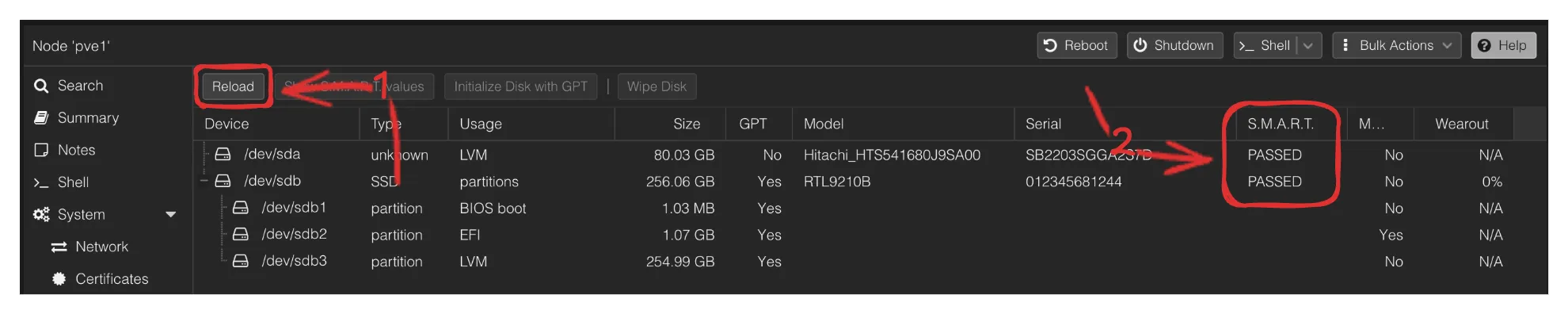
smartctl -i /dev/sdbReloading the Disks view in the Proxmox VE web GUI updates the external disk status immediately from UNKNOWN to PASSED.
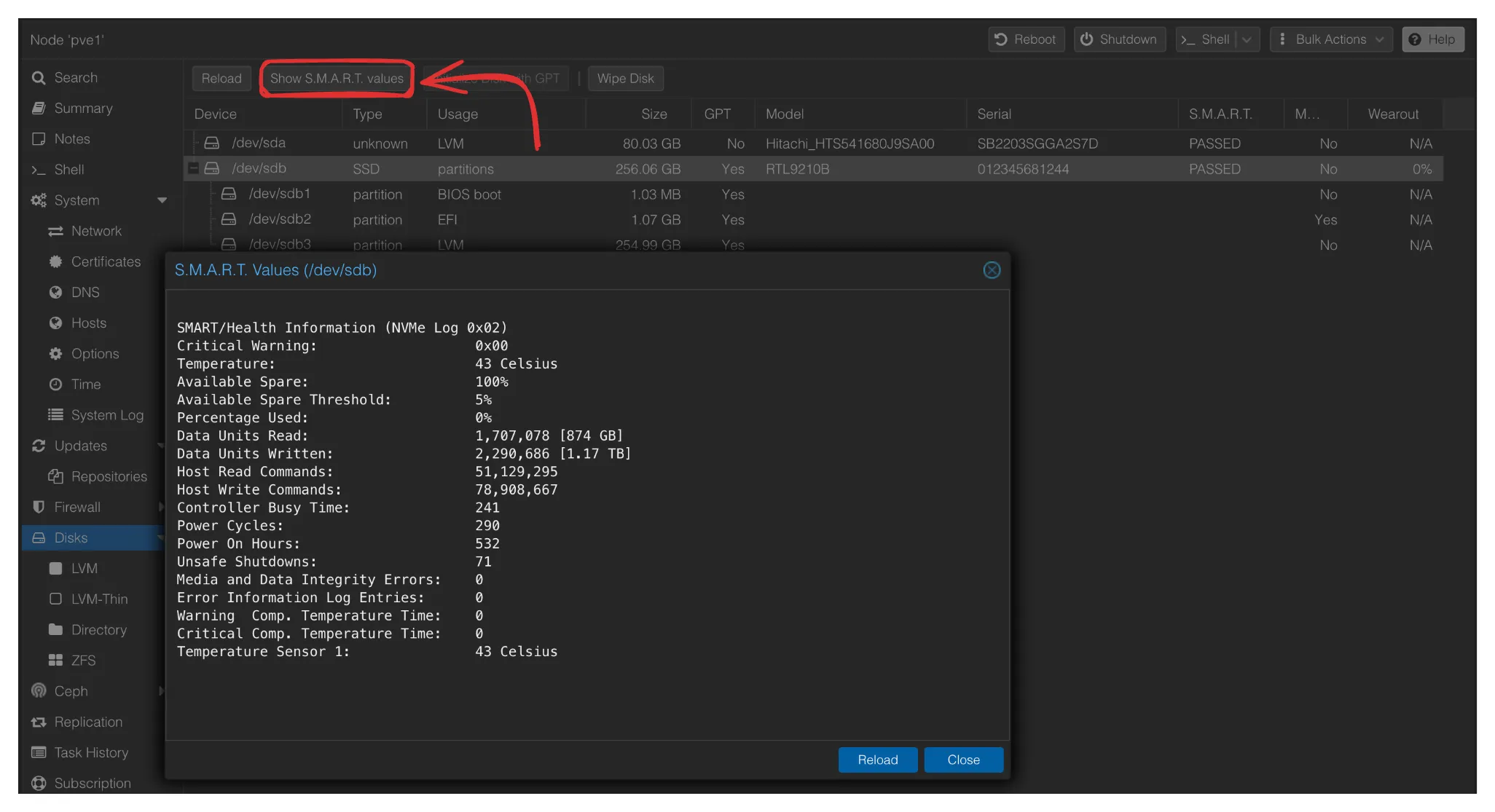
Clicking into the disk displays full SMART health attributes, wearout indicators, and operational temperatures normally.