
Creating a Service Account on AWS For Terraform
/ 2 min read
Table of Contents
Overview
When orchestrating AWS infrastructure using Terraform, provisioning a dedicated IAM service account rather than executing plans under personal or root credentials is foundational security hygiene.
In my setup, I isolate Terraform permissions by assigning the service user to an administrative group, generating programmatically scoped API access keys, and binding them to local CLI profiles before running Free Tier VPC and EC2 deployments.
Creating the IAM Group
In the AWS Management Console, navigate to the IAM service.
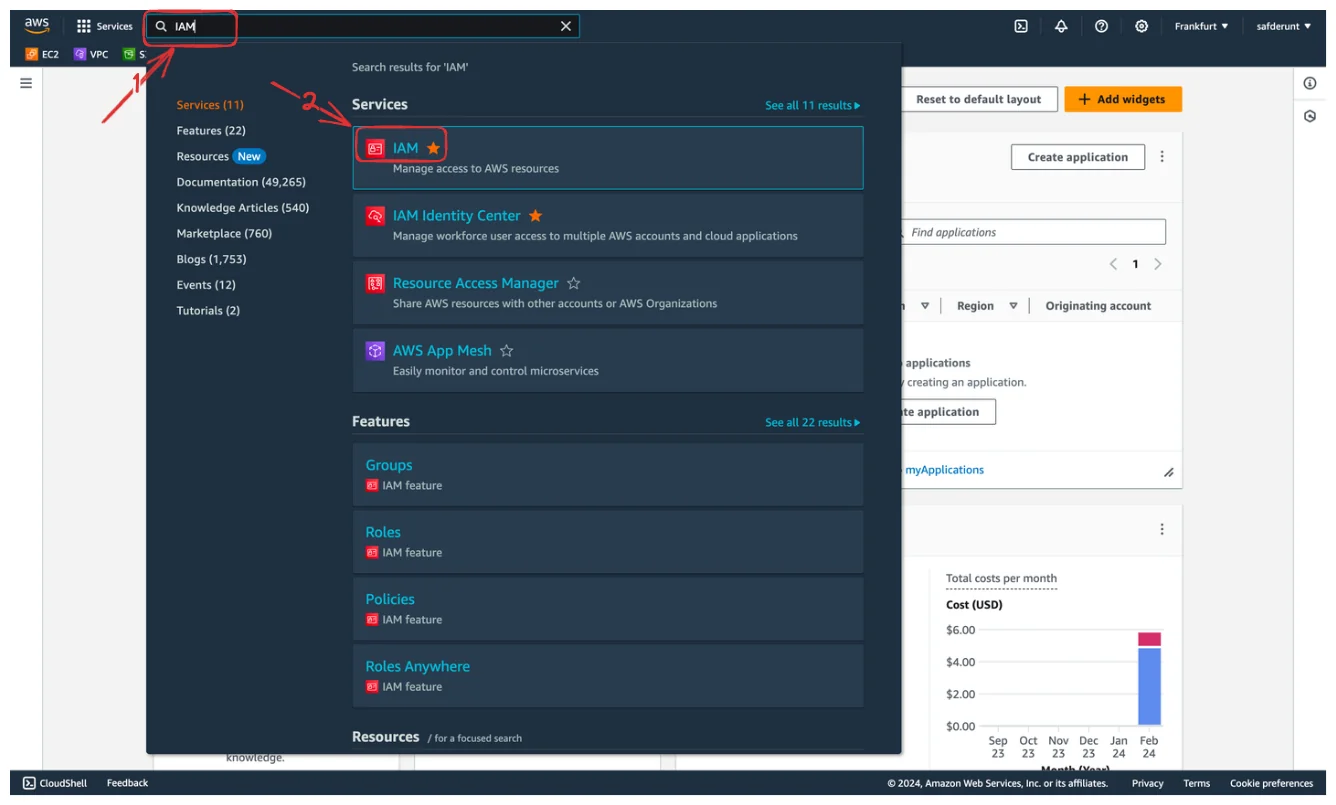
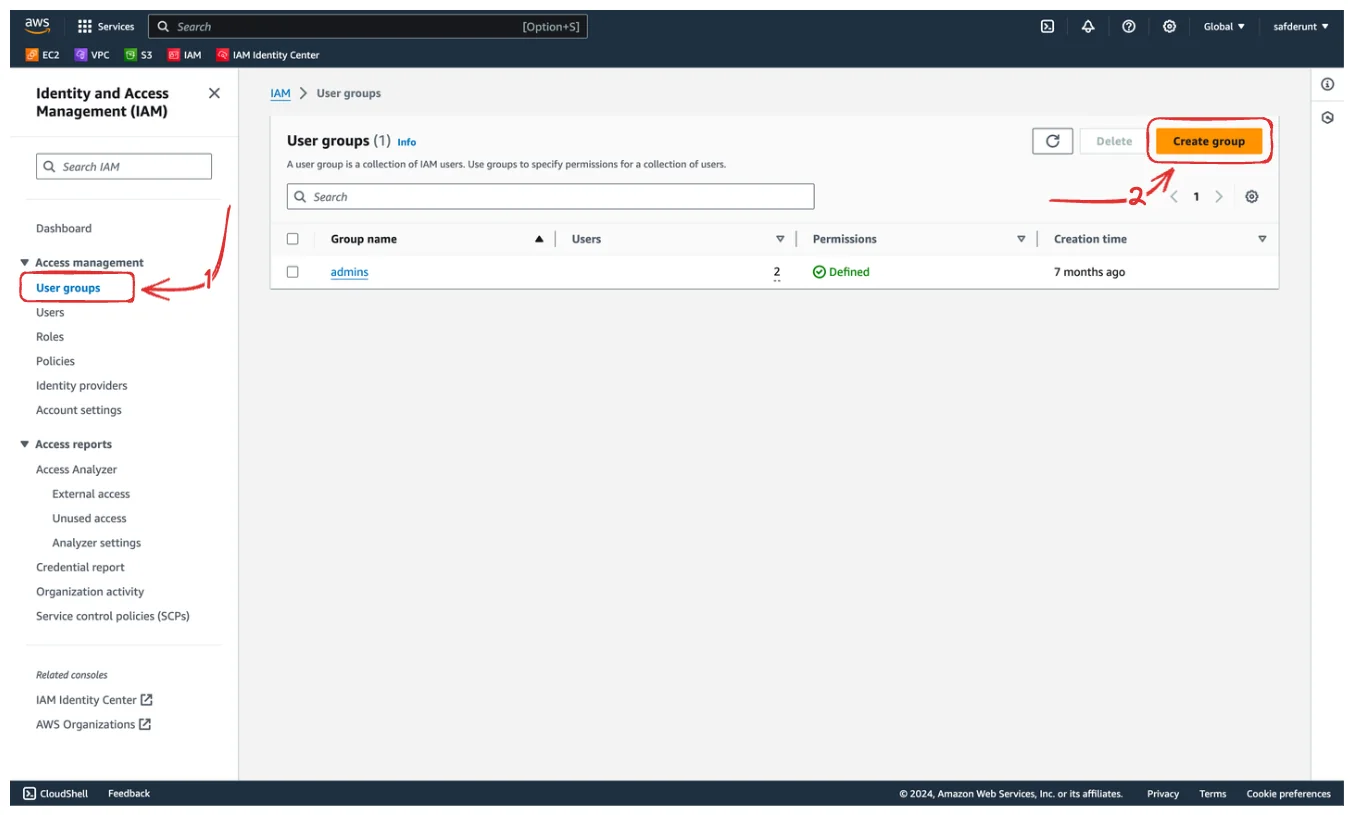
Select User groups and click Create group.
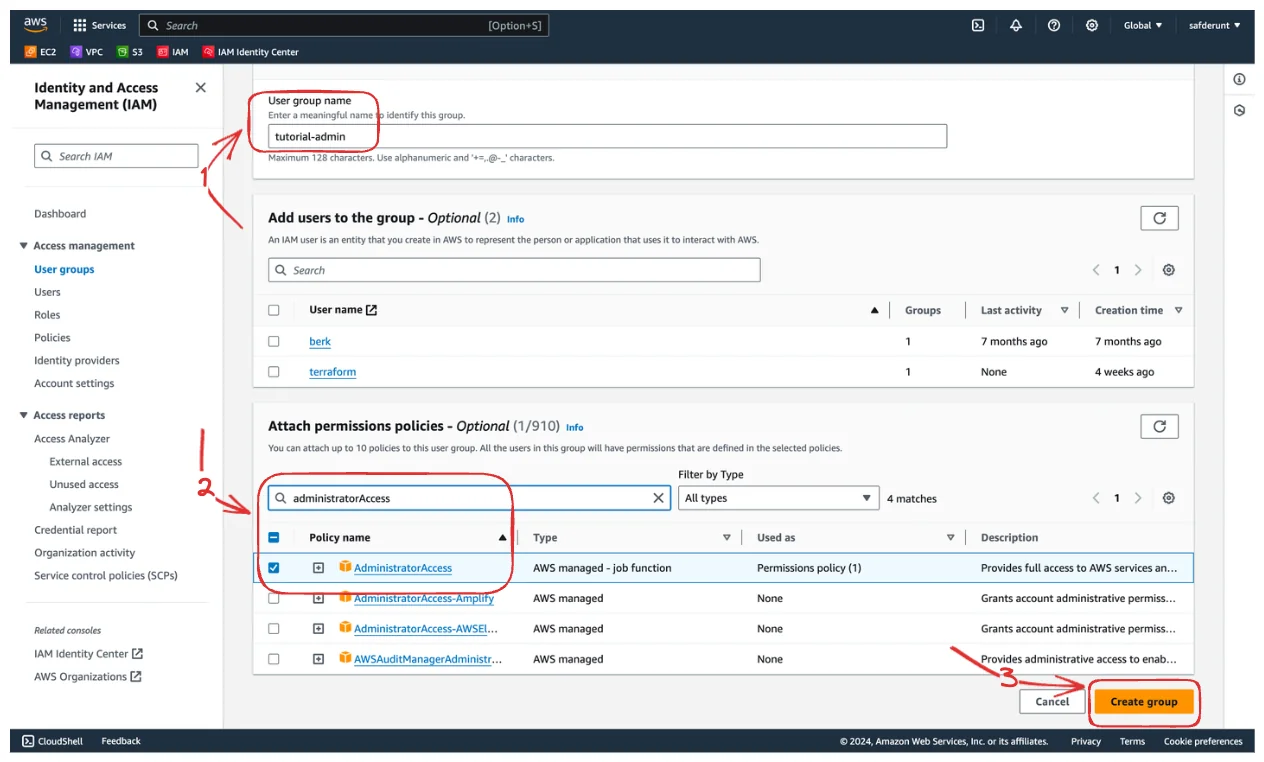
Assign a recognizable identifier (e.g., terraform-admin-group), attach the required permission policy (such as AdministratorAccess for initial bootstrapping or specific scoped policies), and confirm group creation.
Provisioning the Terraform User
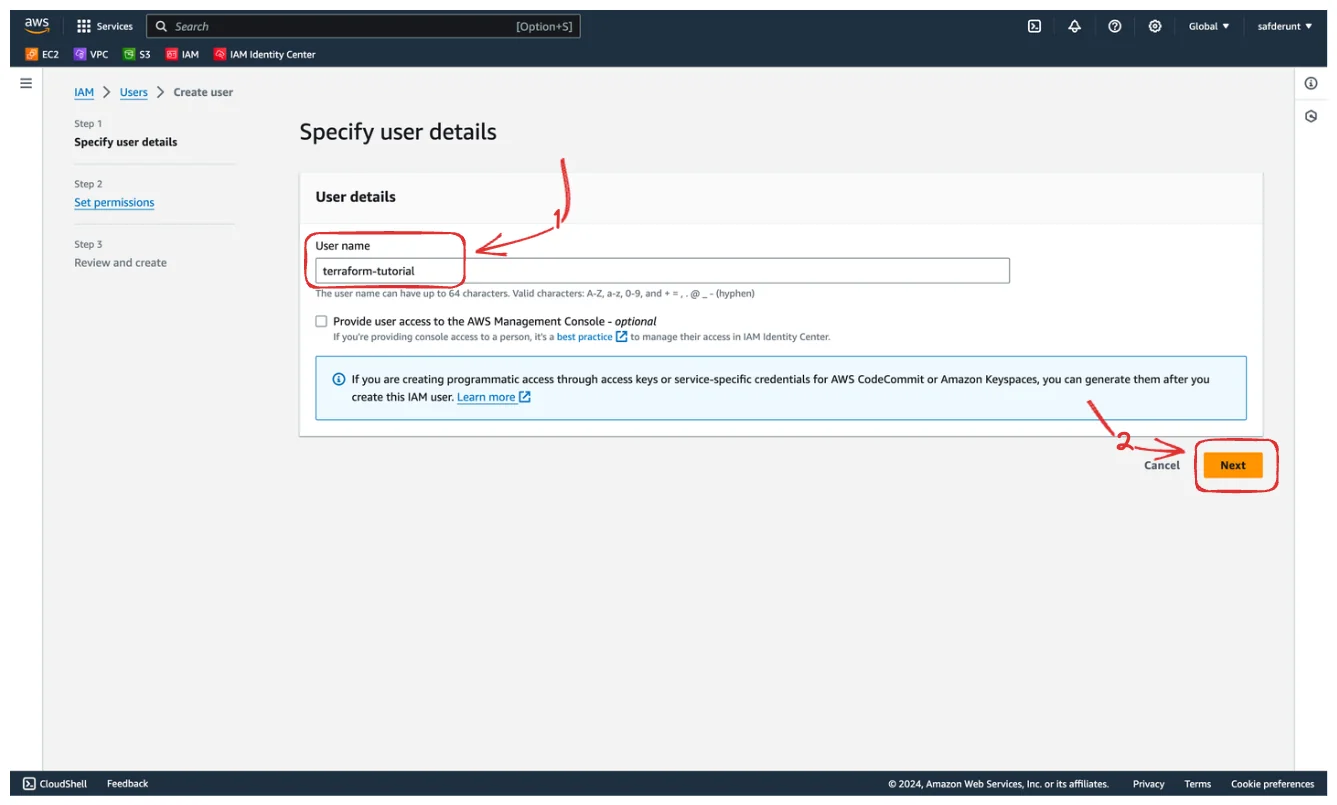
From the IAM navigation menu, open Users and click Create user.
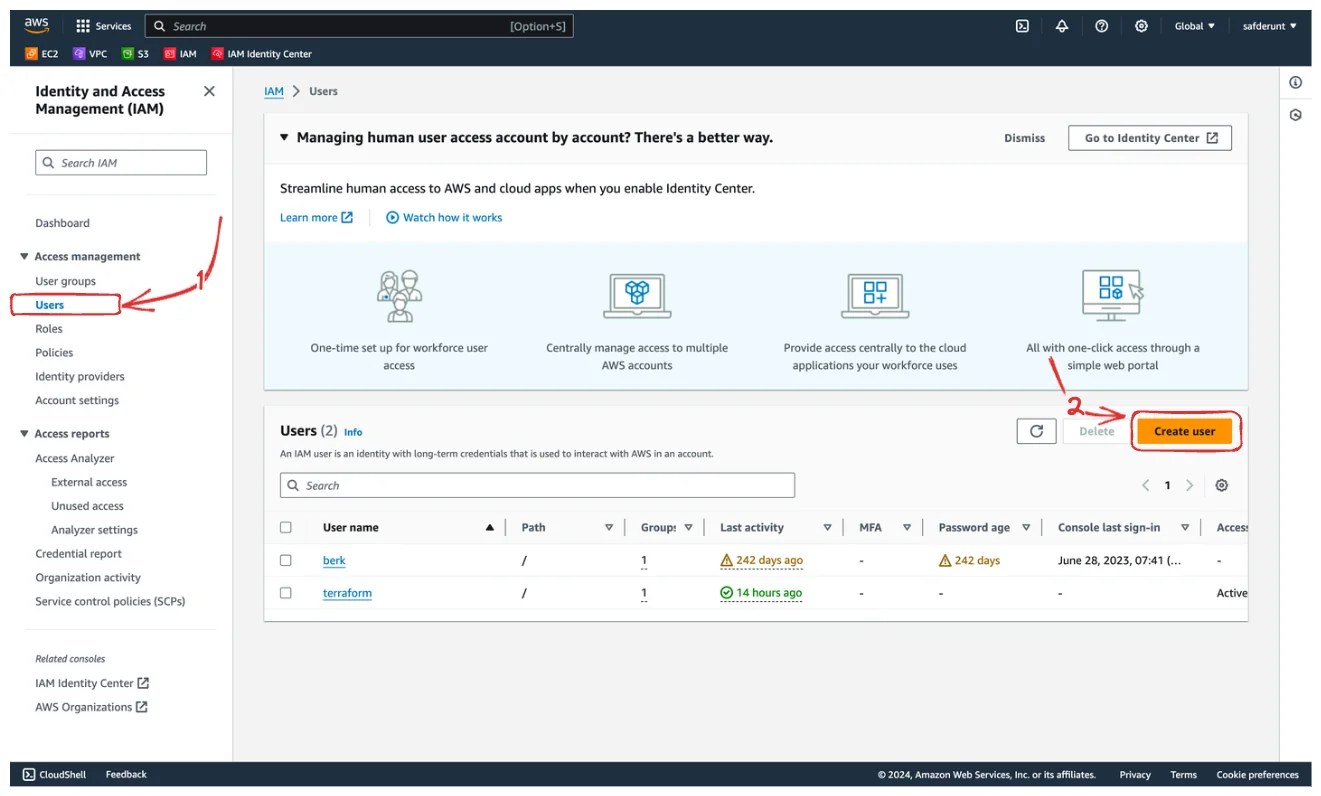
Specify the service account username (e.g., terraform-svc) without enabling management console access, as this account operates purely through APIs.
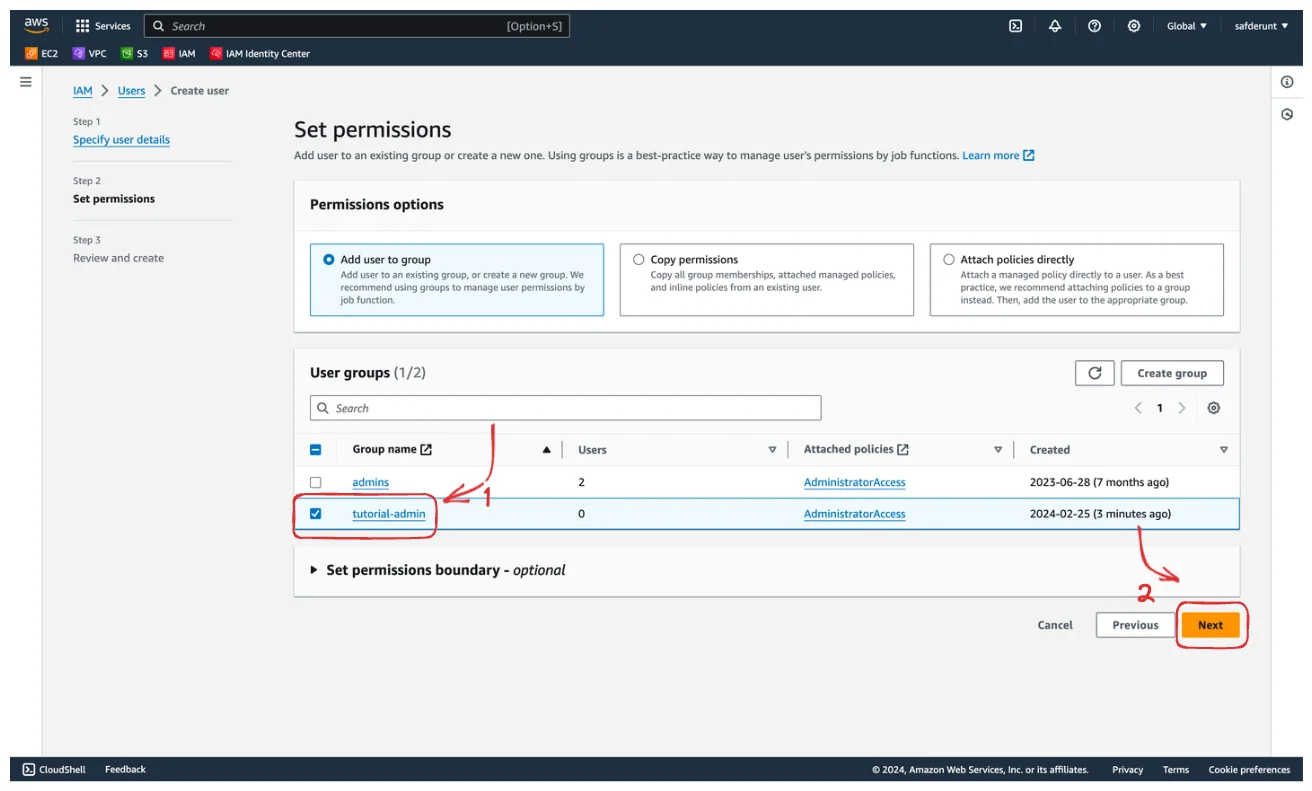
Assign the user to the newly created group to inherit policy permissions.
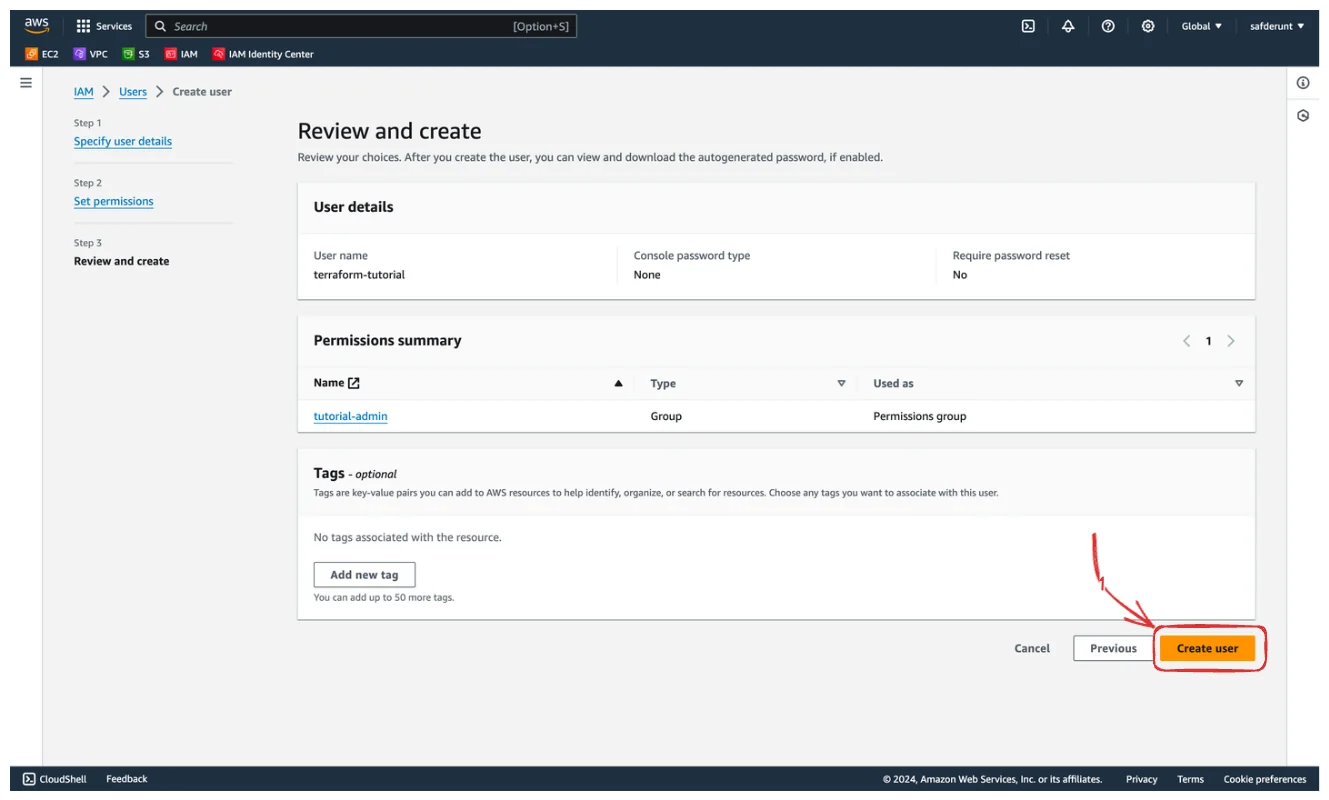
Review the configuration and finalize user creation.
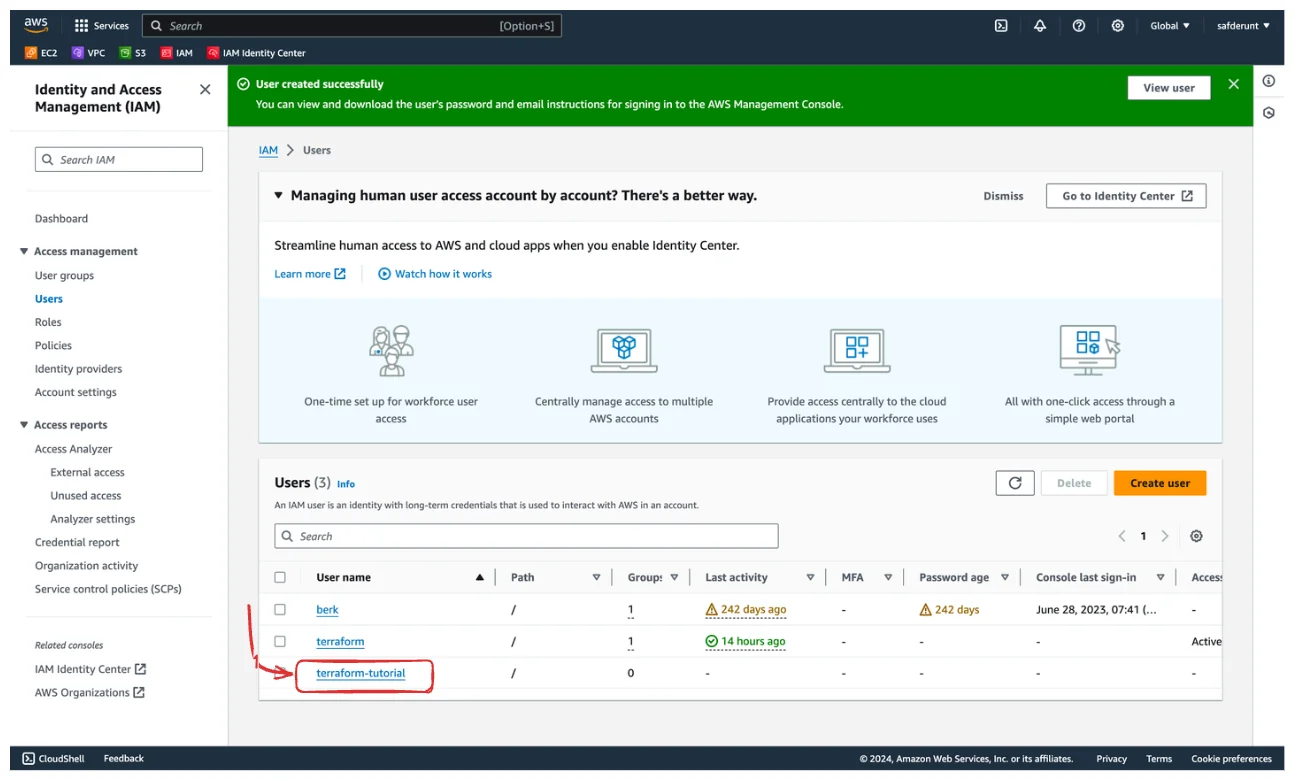
Generating API Access Keys
To generate authentication credentials for the Terraform CLI:
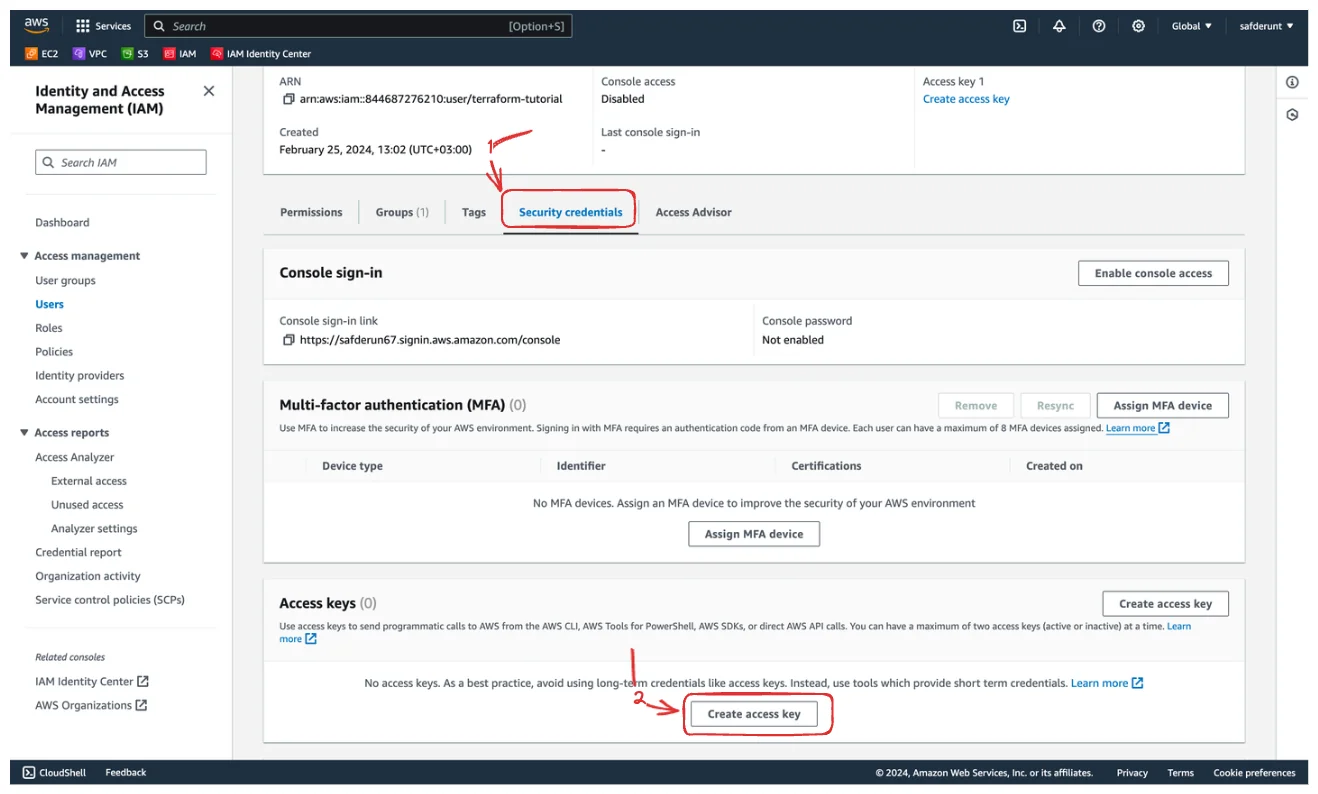
- Open the user profile and navigate to the Security credentials tab.
- Select Create access key.
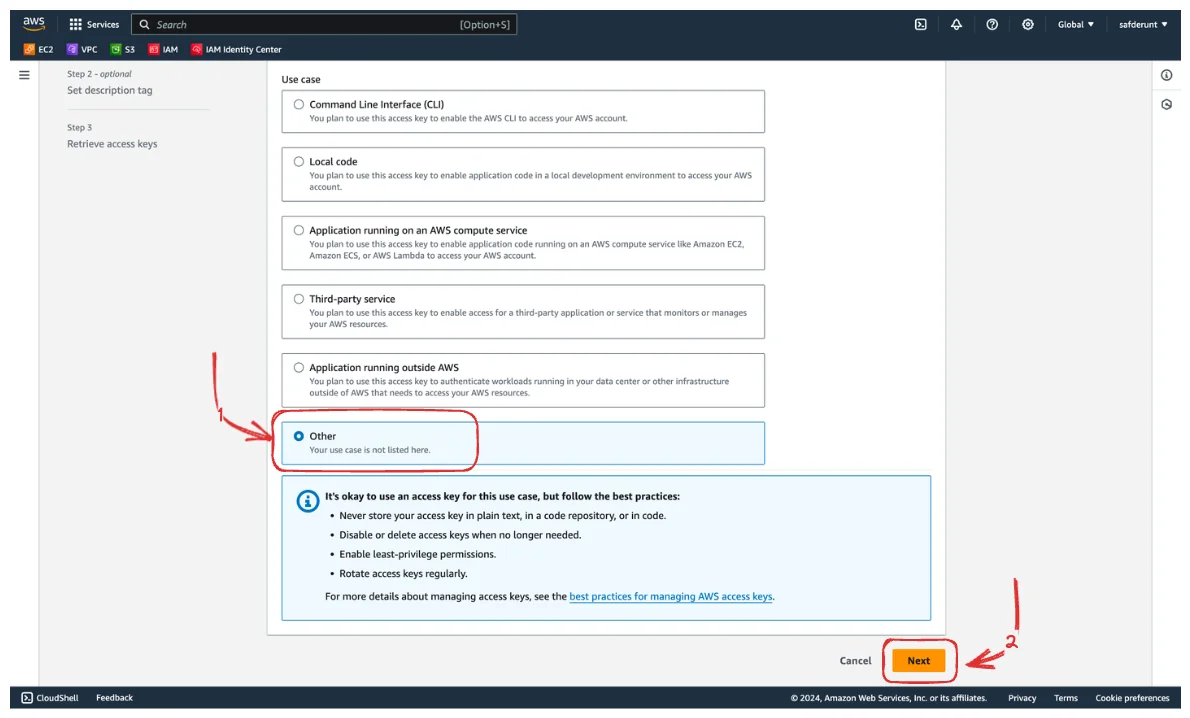
Select the Other use case category.
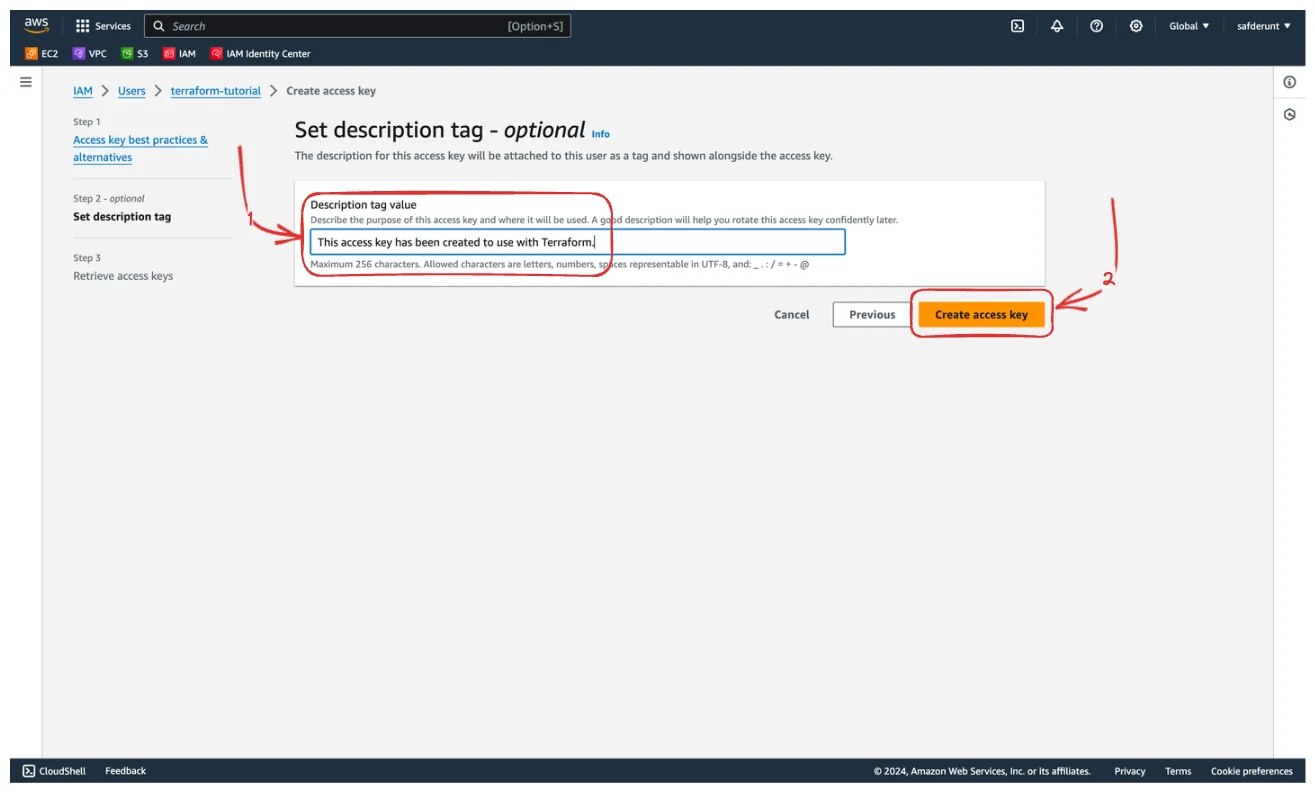
Optionally add a description tag (e.g., terraform-bootstrap-key) and confirm.
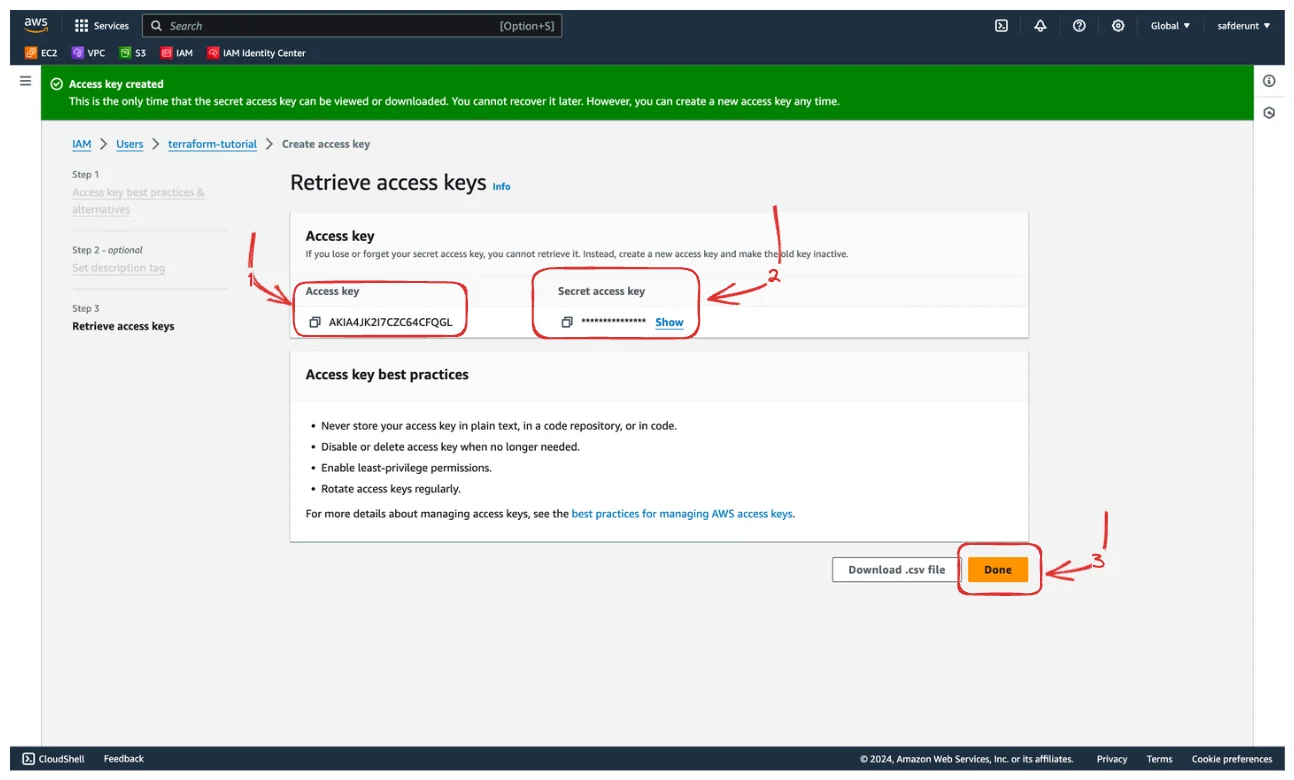
Copy both the Access Key ID and Secret Access Key immediately.
Configuring Local AWS Profiles for Terraform
Rather than exporting raw keys in the shell, I store them under a dedicated profile in ~/.aws/credentials:
aws configure --profile terraformTerraform can then reference this profile directly in provider definitions:
terraform {  required_version = ">= 1.5.0"  required_providers {    aws = {      source  = "hashicorp/aws"      version = "~> 5.0"    }  }}
provider "aws" {  region  = "eu-central-1"  profile = "terraform"}
Executing terraform plan will now authenticate securely against the IAM service account without exposing credentials in code.