Running Ollama and Open WebUI Self-Hosted With AMD GPU
/ 3 min read
Table of Contents
Overview
Self-hosting Large Language Models on local hardware provides complete privacy for personal data and proprietary codebases, while removing vendor rate limits and recurring subscription fees.
While running local LLMs on Nvidia cards with CUDA is well-documented, configuring AMD GPUs under ROCm requires passing specific device nodes and architecture override variables to Docker containers. Below is how I run Ollama alongside Open WebUI with hardware acceleration on an AMD Radeon RX 6700 XT under Linux—which also serves as the inference backend for my self-hosted private VSCode Copilot setup.
Hardware & Environment
The workstation used for this setup runs:
- GPU: AMD Radeon RX 6700 XT (12 GB VRAM)
- CPU: AMD Ryzen 5 7600X
- RAM: 32 GB DDR5
- OS: Linux with modern kernel and ROCm-compatible amdgpu drivers
- Runtime: Docker Engine with access to
/dev/kfdand/dev/dri
Deploying Ollama with AMD ROCm
Ollama publishes official Docker images built against AMD’s ROCm runtime (ollama/ollama:rocm). To grant the container direct access to the GPU compute ring, /dev/kfd and /dev/dri must be mounted as devices.
Because the Radeon RX 6700 XT uses the Navi 22 (RDNA 2) architecture (gfx1031), which ROCm does not target out of the box, I inject the HSA_OVERRIDE_GFX_VERSION=10.3.0 environment variable to instruct the runtime to treat the GPU as generic gfx1030:
docker run -d \ --name ollama \ --restart always \ --device /dev/kfd \ --device /dev/dri \ -v ollama:/root/.ollama \ -p 11434:11434 \ -e HSA_OVERRIDE_GFX_VERSION=10.3.0 \ -e HCC_AMDGPU_TARGET=gfx1030 \ ollama/ollama:rocmVerifying that the daemon initialized without errors:
docker exec ollama ollama listDeploying Open WebUI
To provide an intuitive browser interface with chat history, system prompt tuning, and document retrieval, I deploy Open WebUI connected to the Ollama container:
docker run -d \ --name open-webui \ --restart always \ --network=host \ -v open-webui:/app/backend/data \ -e OLLAMA_BASE_URL=http://127.0.0.1:11434 \ ghcr.io/open-webui/open-webui:mainOnce running, the interface is accessible via http://localhost:8080 (or the host’s LAN IP).
Model Quantizations & Operational Benchmarks
With 12 GB of VRAM, I routinely run the following quantized weights:
deepseek-coder:6.7b-instruct-q8_0(7.2 GB): Daily driver for code generation, fits entirely within VRAM.llama3:8b-instruct-q8_0(8.5 GB): General technical drafting and summarization.deepseek-coder:33b-instruct-q4_0(18 GB): Heavy logic analysis with hybrid GPU/CPU layer splitting.
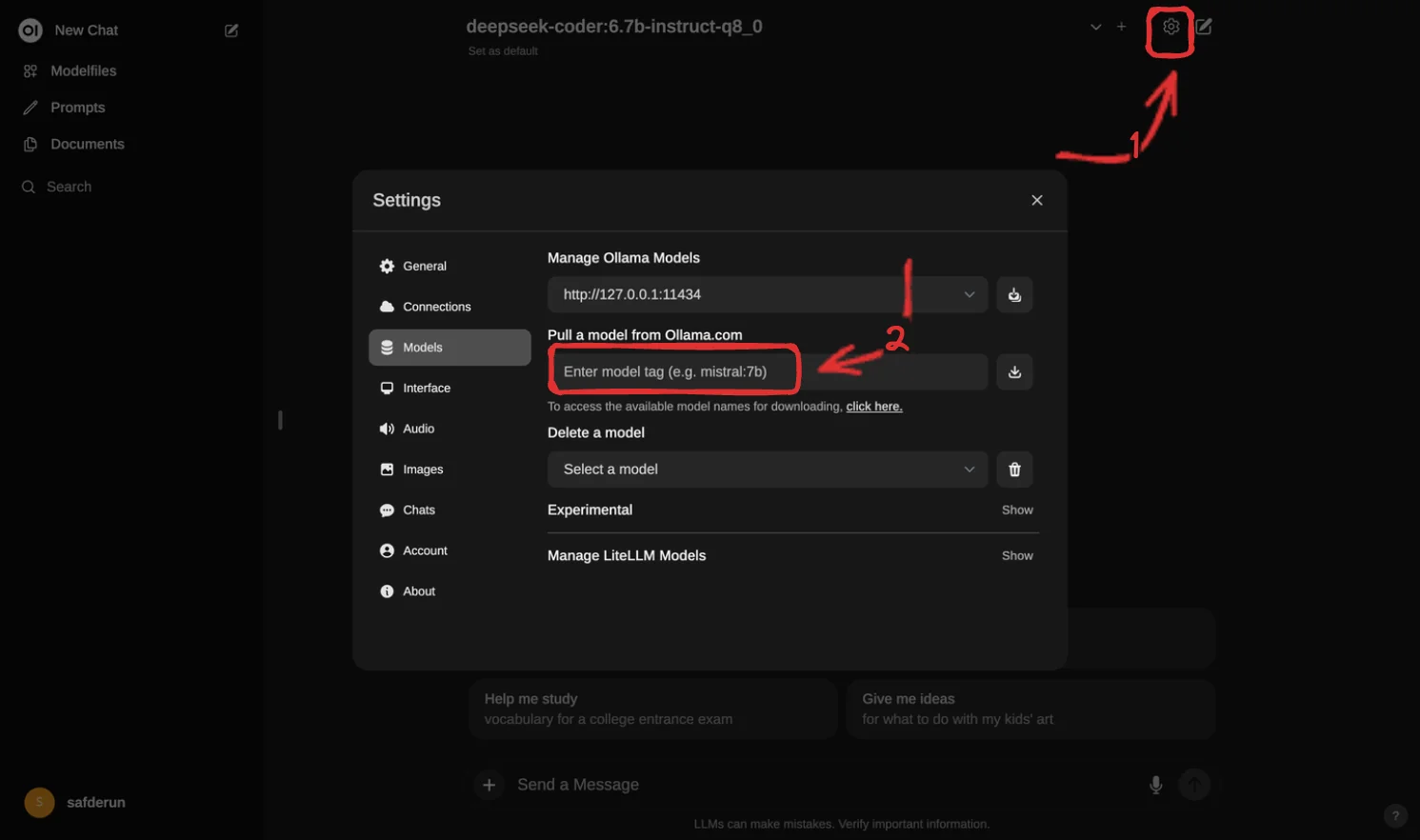
Models are pulled directly from the Open WebUI interface or CLI:
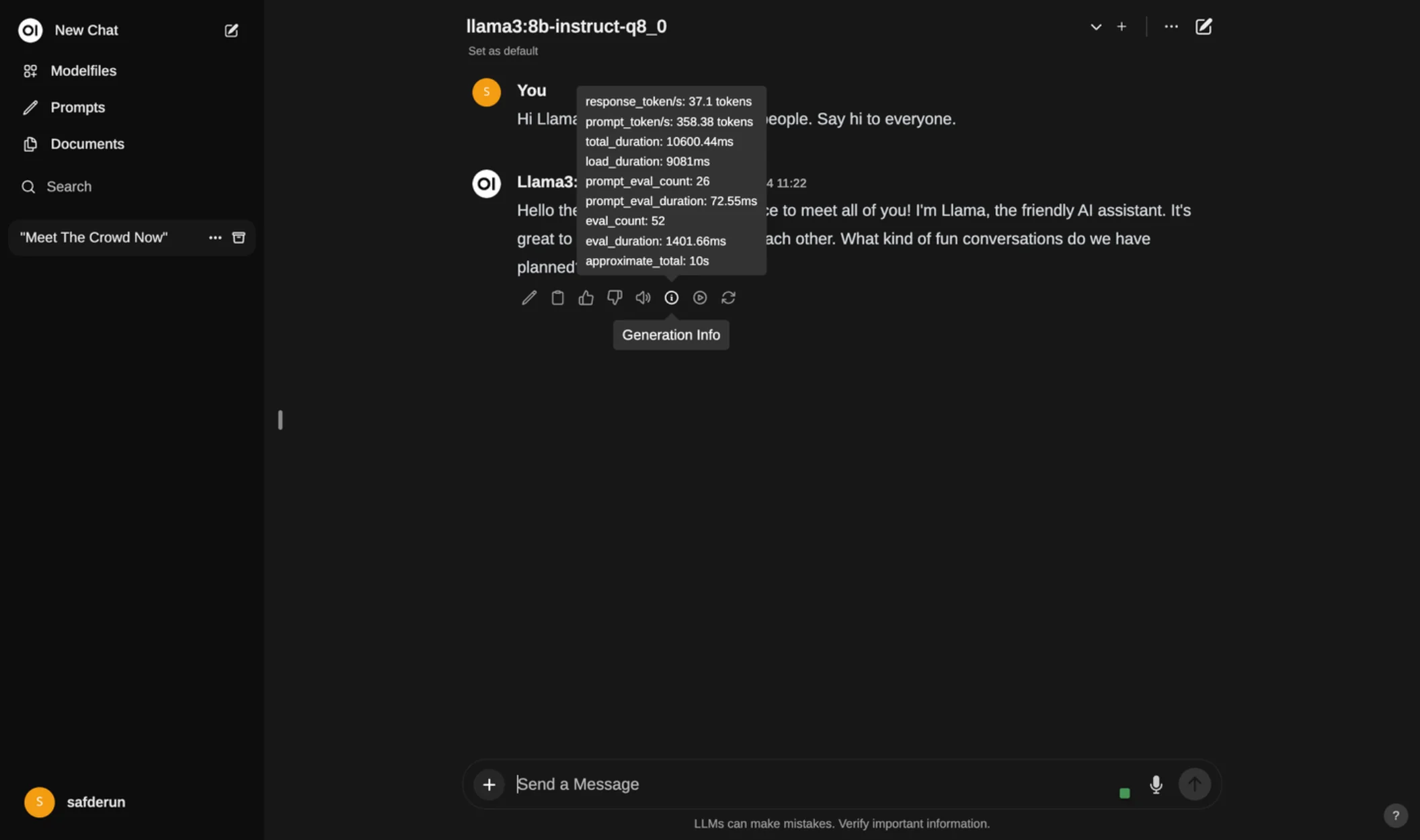
On first invocation, the model loads weights from disk into GPU memory (typically ~8–9 seconds on NVMe):
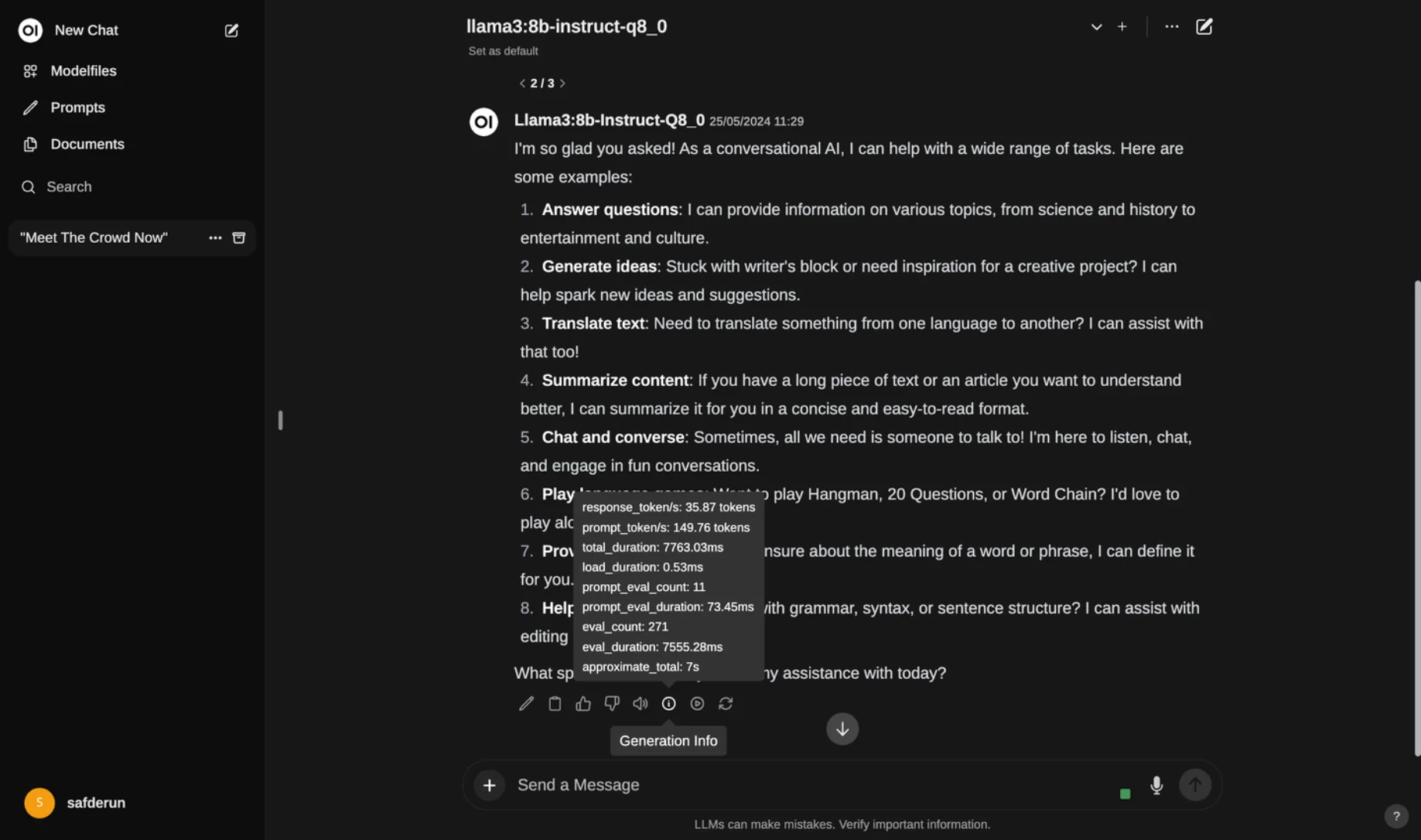
Subsequent queries execute immediately without reloading, maintaining sub-second time-to-first-token (TTFT):
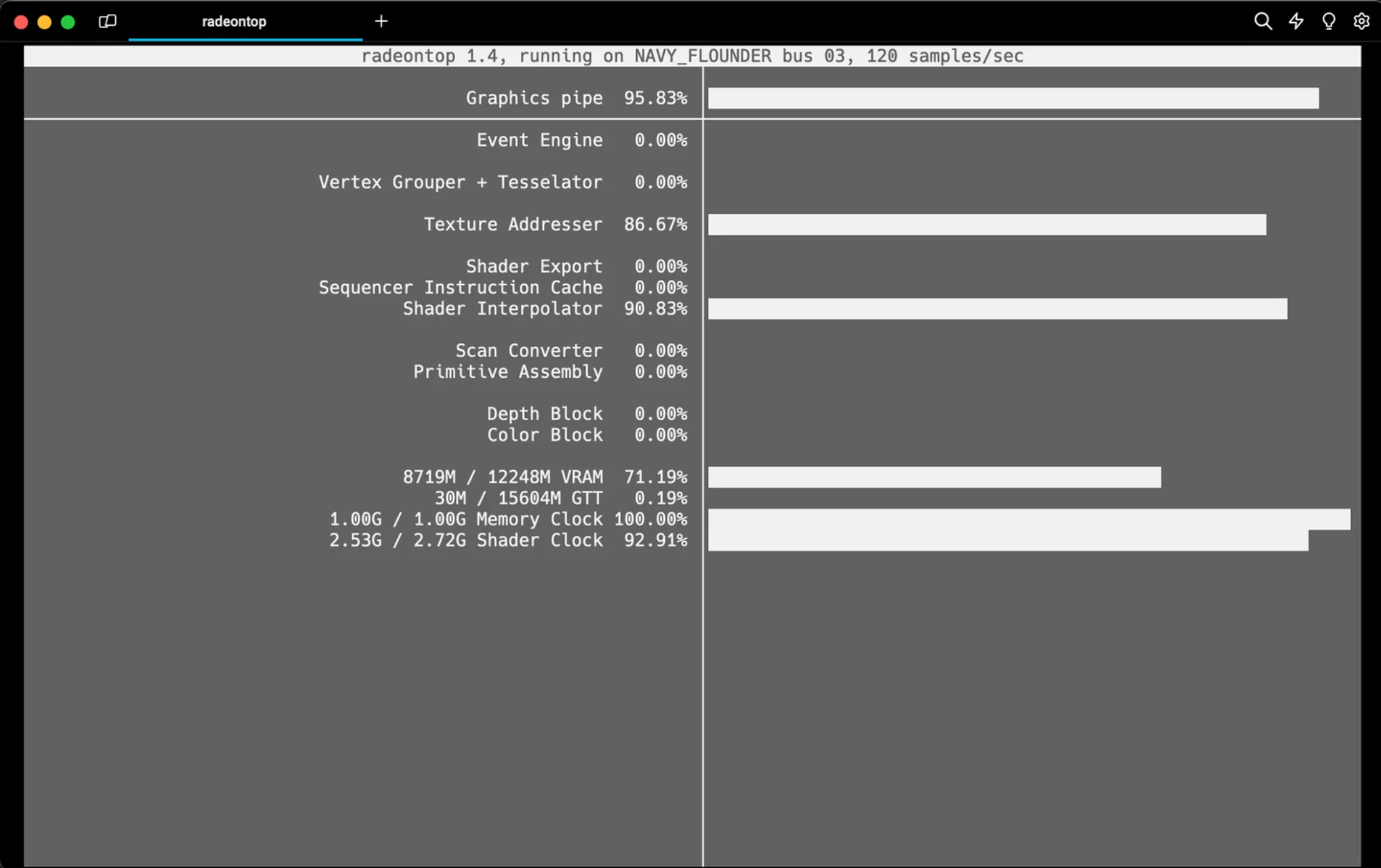
To verify that compute shaders actually engage the GPU during generation, I monitor hardware metrics using radeontop: